Reporting connected to the work behind each employer program

Employer program activity accumulates at every stage, often leaving updates, records, and pending items spread across spreadsheets, inboxes, and separate systems.

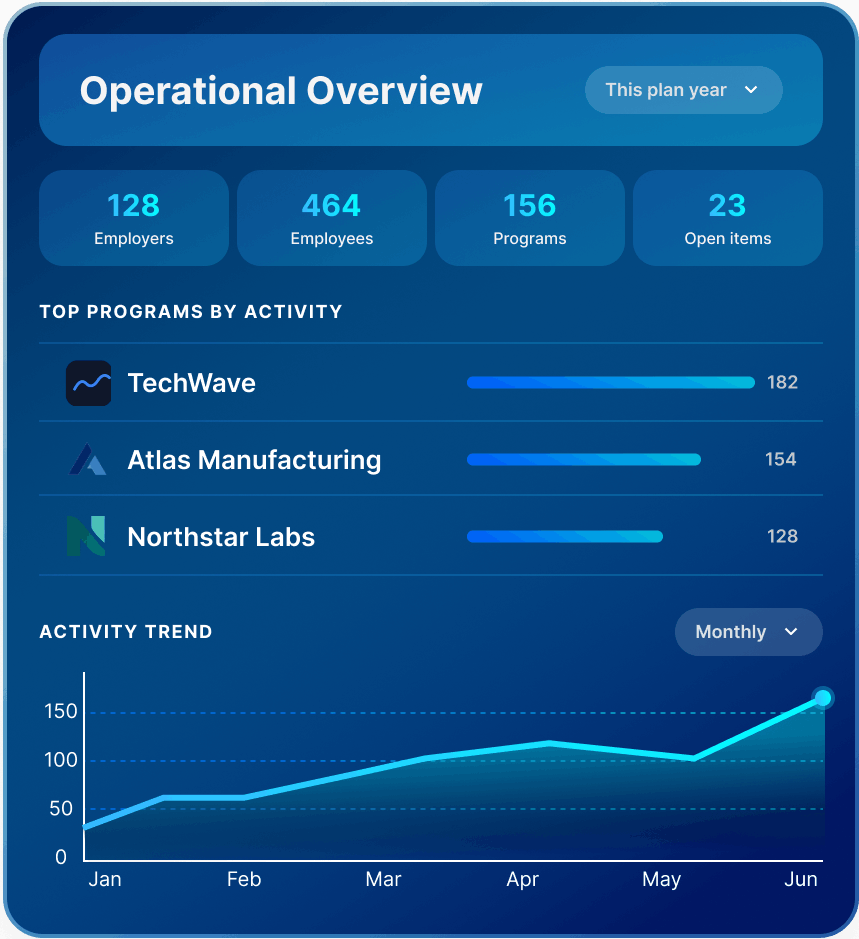
Operational overview with 128 employers, 464 employees, 156 programs, 23 open items, top programs by activity, and a monthly activity trend chart.

One shared reporting environment

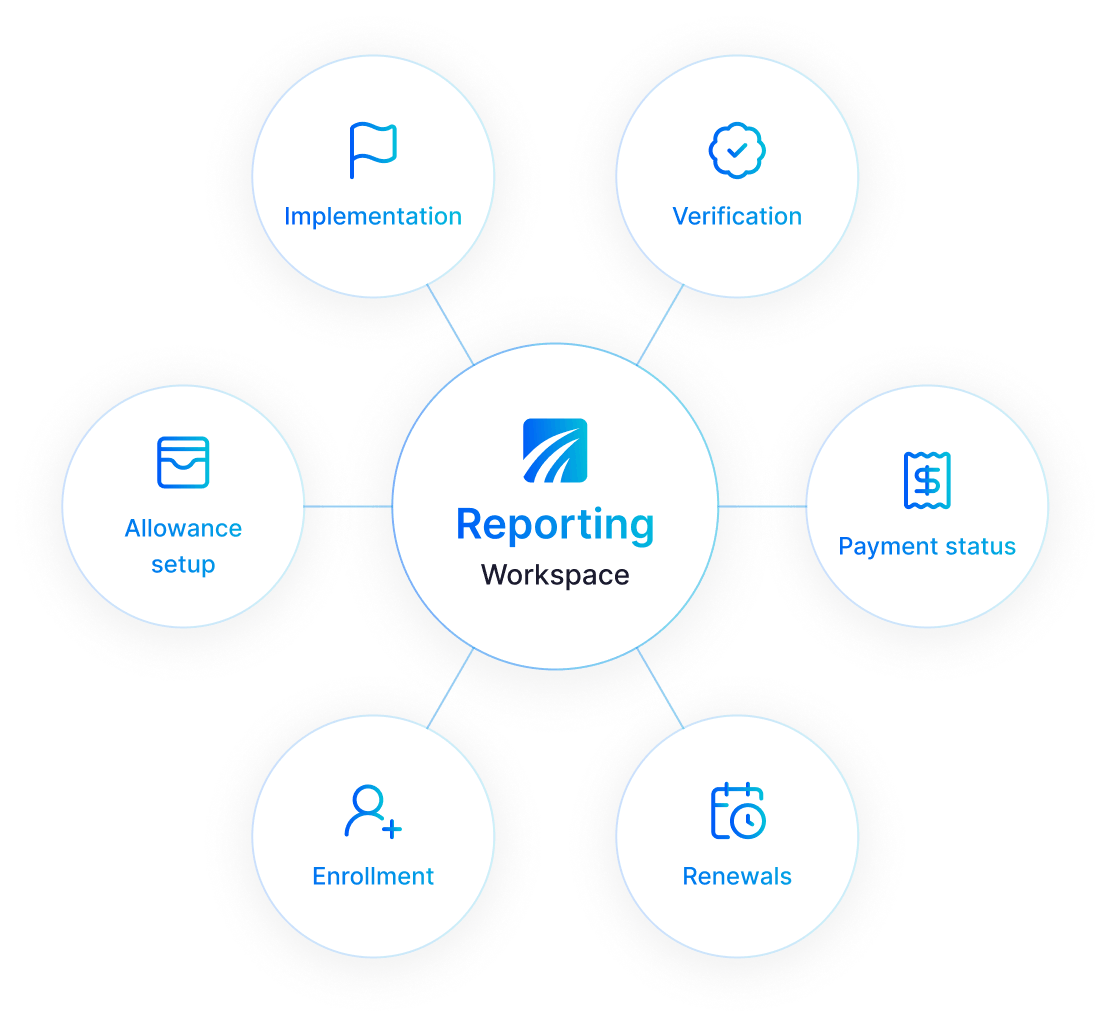
Lirvion brings implementation, enrollment, allowance setup, verification, premium payment activity, and renewal preparation into one shared reporting environment. Teams see program status with supporting context across each stage.
One shared 
reporting environment

A consistent view across employer programs

Reporting in Lirvion reflects the operational activity already taking place across the platform. Each area provides a different layer of context rather than another isolated report.

Enrollment Activity

Follow participation progress across employer programs and identify where employee action may still be outstanding.

Employer Overview

Program configuration, implementation status, key dates, and plan-year history remain available in one place.

Allowance History

Review allowance and premium payment activity over time, with context preserved for employers and employees.

Verification Records

Supporting documents and verification activity remain connected to the program record.

Renewal Timeline

Upcoming milestones appear alongside current plan-year activity, giving teams more context before renewal.

Report Exports

Structured files can be prepared for employer reviews, recurring operational work, and other configured reporting needs.

Enrollment Activity

Follow participation progress across employer programs and identify where employee action may still be outstanding.

Employer Overview

Program configuration, implementation status, key dates, and plan-year history remain available in one place.

Allowance History

Review allowance and premium payment activity over time, with context preserved for employers and employees.

Verification Records

Supporting documents and verification activity remain connected to the program record.

Renewal Timeline

Upcoming milestones appear alongside current plan-year activity, giving teams more context before renewal.

Report Exports

Structured files can be prepared for employer reviews, recurring operational work, and other configured reporting needs.

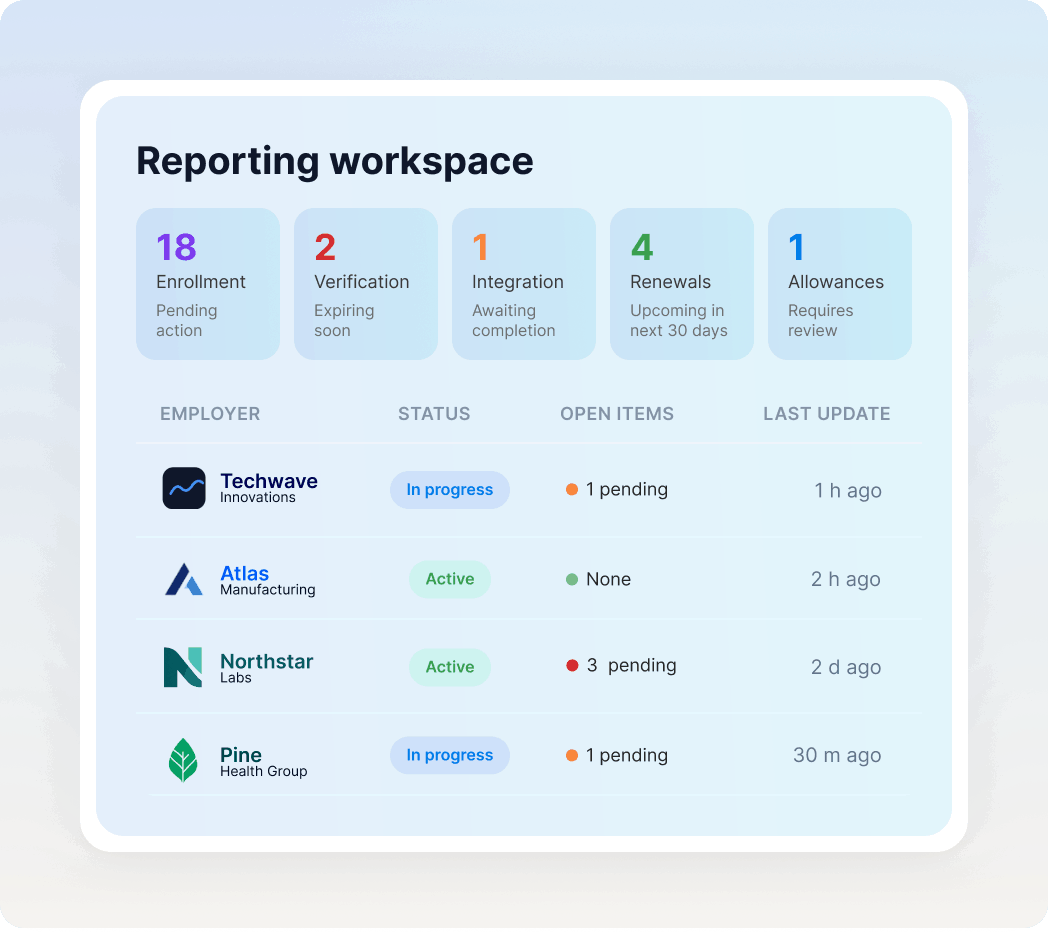
Surface the items that may need a closer look

Reporting helps teams recognize where follow-up may be required.

  • Enrollment activity still in progress
  • Outstanding verification items
  • Implementation steps awaiting completion
  • Upcoming renewal milestones
  • Records that may require operational review

The platform provides context around these items, but it does not replace administrative judgment, compliance review, or decisions made for a specific employer.

Surface the items that may need a closer look

Reporting that follows the plan year

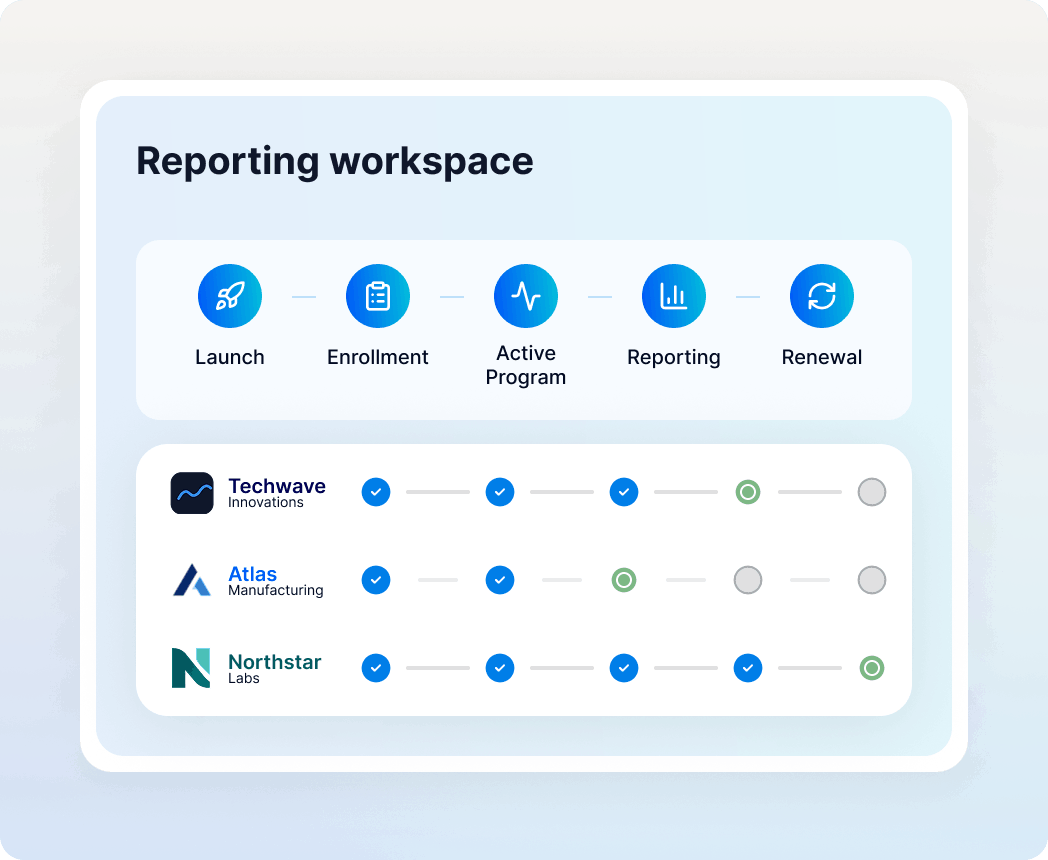
Employer programs do not move through the same stage at the same time. One may still be in implementation while another is completing enrollment or preparing for renewal.

Lirvion keeps those stages connected within the same reporting structure. Teams can return to the employer record, review what has changed, and understand the history behind the current status without rebuilding it elsewhere.

Reporting that follows the plan year

Spend less time reporting. Move work forward period

Connected reporting keeps employer activity organized, accessible, and ready whenever your team needs it.