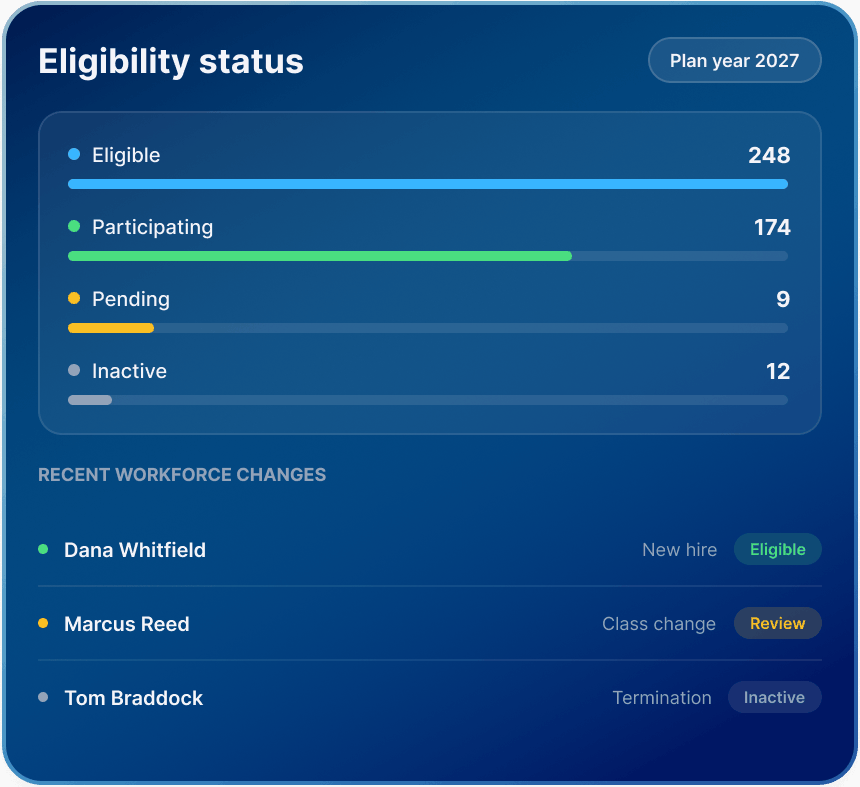
Eligibility changes. Your system should already know

New hires. Terminations. Class changes. Participation updates. Effective dates. The workforce moves constantly.

Lirvion helps employers and brokers manage CHOICE Arrangement (ICHRA) eligibility, employee classes, participation, and workforce changes through a more structured administrative workflow.

Eligibility status chart for 2027 with bars showing numbers for eligible, participating, pending, and inactive. Recent workforce changes listed below.

Eligibility breaks quietly

Most eligibility problems do not begin with a major failure. They begin with one missed change. A new hire starts. Someone moves from part-time to full-time. A seasonal employee returns. A termination is entered late. A class assignment no longer reflects the workforce.

When eligibility is spread across spreadsheets, payroll files, inboxes, and manual follow-up, the administrative picture can drift before anyone notices. Lirvion helps bring those changes into a more structured process.
Eligibility breaks quietly

Flexibility starts with precision

CHOICE Arrangements (ICHRAs) can be structured around permitted employee classes. That flexibility can be valuable. It also makes disciplined eligibility administration more important. Lirvion helps employers organize the workforce around the plan design and maintain a clearer view of how employees are classified.

Full-Time Employees

Manage eligibility for employees classified as full-time.

Three stylized blue profiles with a shield and checkmark symbolizing verified accounts.

Part-Time Employees

Support separate treatment where the applicable plan design permits it.

Blue icon with a person's profile silhouette and lines, accompanied by a clock symbol on a semi-transparent square.

Seasonal Employees

Track employees whose status may change during the year.

Illustration of a blue calendar, person icon, and arrows surrounded by seasonal symbols: snowflake, flower, sun, and leaf, indicating change.

Geographic Classes

Organize eligible groups around permitted geographic distinctions.

Blue globe with network icons and a location pin symbolizing global connectivity and communication.

Other Permitted Classes

Support additional employee-class structures consistent with applicable requirements.

Abstract icons of people grouped together, highlighted in blue, with a circular add-and-settings symbol in the foreground.

Full-Time Employees

Manage eligibility for employees classified as full-time.

Three stylized blue profiles with a shield and checkmark symbolizing verified accounts.

Part-Time Employees

Support separate treatment where the applicable plan design permits it.

Blue icon with a person's profile silhouette and lines, accompanied by a clock symbol on a semi-transparent square.

Seasonal Employees

Track employees whose status may change during the year.

Illustration of a blue calendar, person icon, and arrows surrounded by seasonal symbols: snowflake, flower, sun, and leaf, indicating change.

Geographic Classes

Organize eligible groups around permitted geographic distinctions.

Blue globe with network icons and a location pin symbolizing global connectivity and communication.

Other Permitted Classes

Support additional employee-class structures consistent with applicable requirements.

Abstract icons of people grouped together, highlighted in blue, with a circular add-and-settings symbol in the foreground.

Flexible design only works when the eligibility structure stays accurate

Know who qualifies. Know what changed

Employers should not need to decode a census every time they need an eligibility answer. The right administrative view should make current status easier to see.

Employee Classification

See how an employee is categorized within the plan design.

Eligibility Status

Maintain visibility into whether an employee is eligible, pending, or inactive.

Participation Status

Separate eligibility from actual participation in the arrangement.

Effective Timing

Track when workforce changes may affect eligibility or participation.

Employee Classification

See how an employee is categorized within the plan design.

Eligibility Status

Maintain visibility into whether an employee is eligible, pending, or inactive.

Participation Status

Separate eligibility from actual participation in the arrangement.

Effective Timing

Track when workforce changes may affect eligibility or participation.

The goal is simple: a clearer picture of who qualifies, who is participating, and what changed.

Stop rebuilding eligibility every month

A modern benefits program should not require a recurring census reconstruction project. Employers need a process that can absorb workforce changes without forcing teams to start over every time something changes. Lirvion helps keep eligibility information organized as the workforce evolves.

Add Employees

Bring new hires into the administrative process.

Update Employee Status

Reflect changes in employment category or class.

Track Participation

See the difference between eligible, participating, pending, and inactive employees.

Maintain the Record

Keep administrative information aligned as changes accumulate across the year.

Add Employees

Bring new hires into the administrative process.

Update Employee Status

Reflect changes in employment category or class.

Track Participation

See the difference between eligible, participating, pending, and inactive employees.

Maintain the Record

Keep administrative information aligned as changes accumulate across the year.

Better data makes better advice possible

A broker advising on CHOICE Arrangement (ICHRA) strategy needs more than a headcount. Workforce structure matters. Employee classes matter. Participation matters. Timing matters. Lirvion gives brokers a clearer administrative view of the employer population so conversations around plan design, participation, and ongoing administration start with better information.

  • 01

    Review the Workforce Faster

    See how the employer population is structured before discussing changes.

  • 02

    Clarify Employee Classes

    Help employers see how different groups fit into the arrangement.

  • 03

    See Participation More Clearly

    Identify where employees are participating, pending, or inactive.

  • 04

    Improve the Handoff

    Move from benefits strategy into administration with fewer gaps between the recommendation and workforce data.

Eligible is not the same as participating

This distinction matters. An employee may qualify for a CHOICE Arrangement (ICHRA) without completing the steps required for active participation. Lirvion helps keep those statuses separate and visible. Clear statuses create cleaner administration

handshake

Eligibility

  • Eligible — The employee meets the applicable eligibility criteria.

  • Pending — An administrative or enrollment step remains incomplete.

Participation

  • Participating — The employee is actively participating in the arrangement.

  • Inactive — The employee is not currently participating.

Eligibility is the start. Coverage keeps it moving

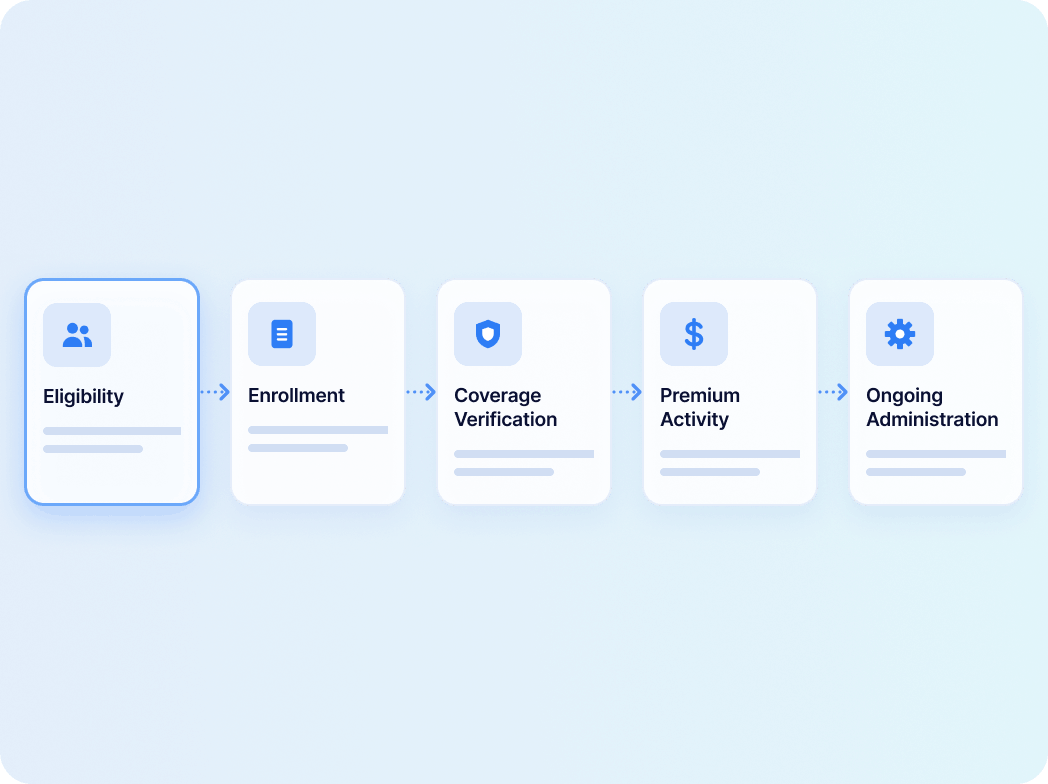
Eligibility alone does not complete the process. Employees may still need to obtain qualifying individual coverage, complete enrollment, provide required information, and maintain coverage. That is why eligibility should connect naturally to the rest of the administrative workflow.

  • Enrollment — Move eligible employees into the appropriate individual coverage workflow.

  • Coverage Verification — Maintain visibility into required coverage information.

  • Premium Activity — Keep premium-related information connected to the employee record.

  • Ongoing Administration — Reflect changes that may affect eligibility, participation, or coverage status.

Explore Enrollment & Setup
Eligibility is the start. Coverage keeps it moving

The workforce moves. Eligibility has to move with it

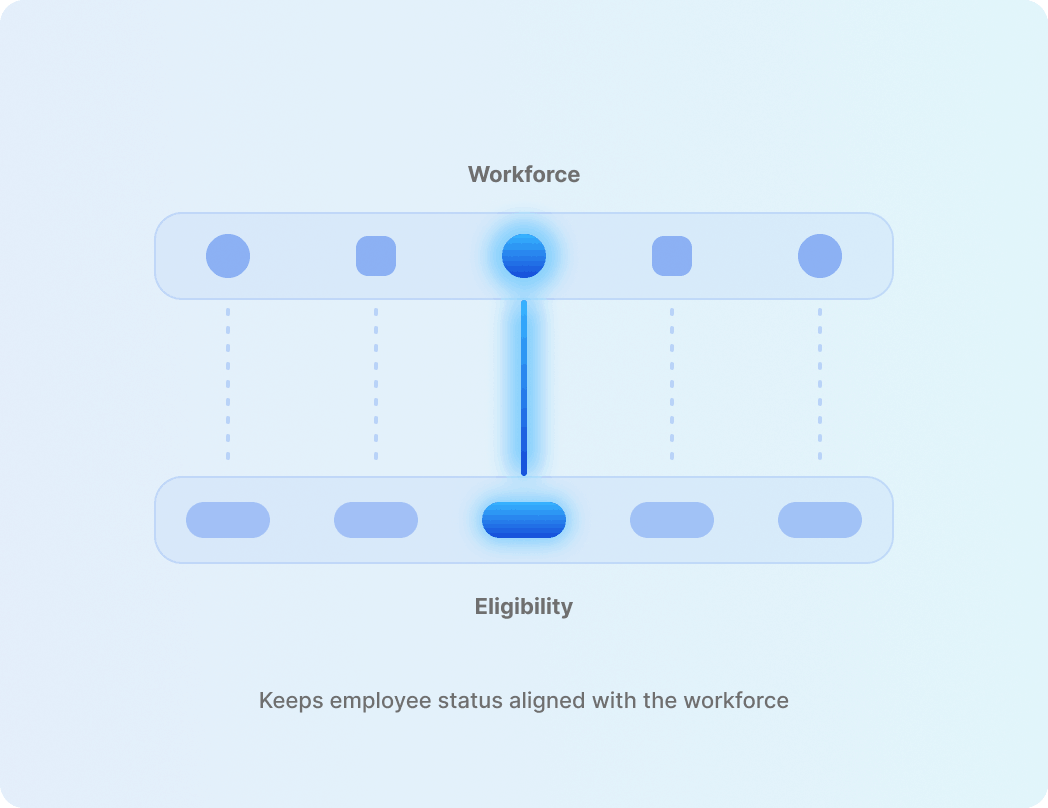
Payroll and HR data often reveal the changes that matter most. A new employee starts. Hours change. Employment status changes. A class changes. Someone leaves. Each event can affect eligibility administration.

A more connected process helps keep employee status aligned with the workforce instead of turning eligibility into a separate administrative island.

Explore Integrations
The workforce moves. Eligibility has to move with it

Five questions should never require five systems

Who is eligible?Which employee class applies?Who is participating?What changed?What needs attention now?

A strong eligibility process should make it easier to answer these questions. If those answers require multiple spreadsheets, inboxes, and manual reconciliation, the process is creating unnecessary drag. The information should be easier to find inside the platform.

What is CHOICE Arrangement (ICHRA) eligibility management?

Eligibility management is the process of determining which employees may be offered an Individual Coverage Health Reimbursement Arrangement, organizing employees into permitted classes, tracking workforce changes, and maintaining accurate eligibility and participation information. As of September 2026, CMS uses CHOICE Arrangement terminology in employer-facing guidance for ICHRA. For employers, eligibility management can include:

This kind of structured eligibility management can help reduce reliance on disconnected manual processes.

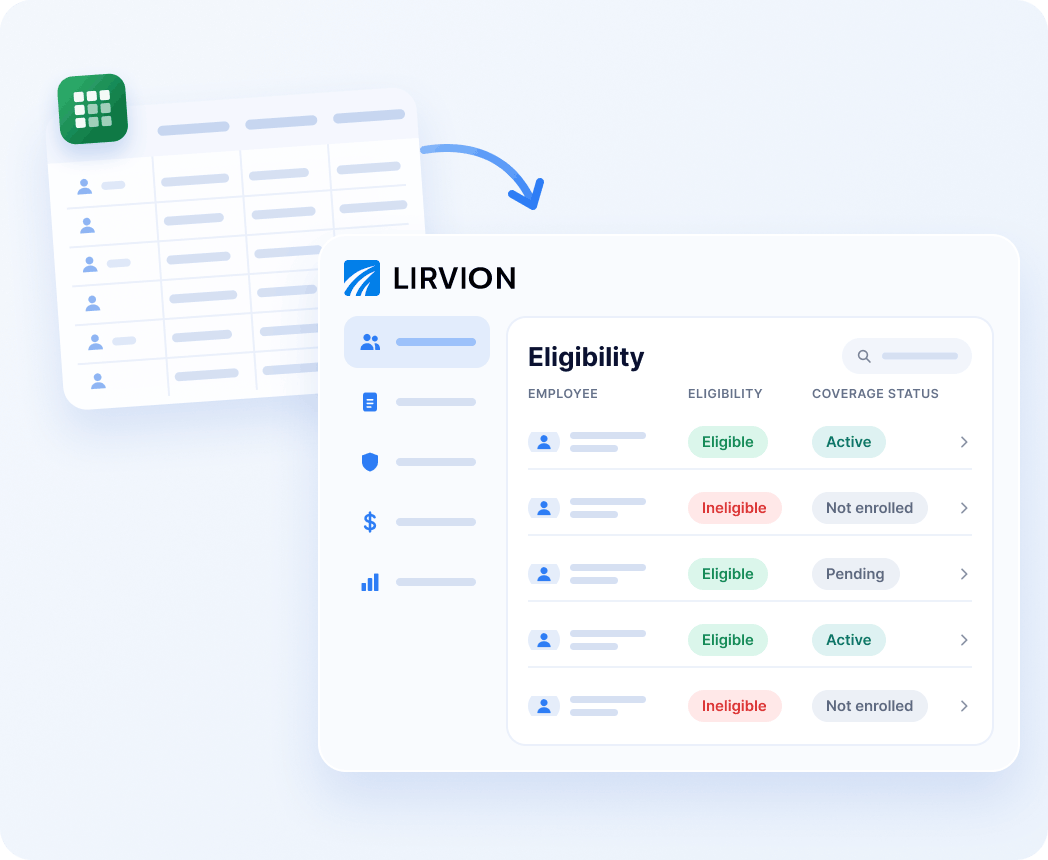
Eligibility should be a system — not a spreadsheet

Lirvion brings eligibility into the same administrative environment used for enrollment, coverage verification, premium visibility, and ongoing administration. That creates a clearer connection between workforce data and employee status.

  • Structured Employee Classes — Organize employees around the employer’s eligibility design.

  • Ongoing Status Visibility — Track changes throughout the plan year.

  • Connected Administration — Keep eligibility linked to enrollment, coverage, and premium activity.

  • Employer & Broker Access — Give the people managing the arrangement a clearer administrative view.

Talk to an Expert
Eligibility should be a system — not a spreadsheet

Frequently asked questions

Eligibility basics

Changes, participation and coverage

Your workforce changes. Your eligibility system should already be ready

Stop rebuilding the same eligibility picture every month. Keep employee classes, participation, coverage status, and workforce changes connected from the start.